

Blog
Phone Will Not Charge? Nine Times Out of Ten It Is the Port

You plug your phone in and nothing happens. Or it charges only if you hold the cable at exactly the right angle. Or it charges for ten seconds, stops, then starts again.
Most people assume the battery is dying, or they buy a new cable. Both are reasonable guesses and both are usually wrong. The overwhelming majority of charging failures come down to the port itself, and more specifically to what has quietly accumulated inside it.
Why the Port Fills Up
Your charging port is a small open cavity that spends its life in your pocket, your bag, or a car cup holder. Lint, dust, sand and pocket debris go in and do not come out. Every time you insert a cable, you compress that material a little further toward the bottom of the port.
Eventually the compacted lint forms a firm pad over the contacts at the base. The cable still physically fits. It just cannot seat deep enough for its pins to touch. Your phone reports no charger connected, or an intermittent one.
This is not a rare failure. It is the single most common cause of a phone that stops charging, and it affects USB-C and Lightning equally. Phones with flush-mounted ports in thin frames, which is most current flagships, are if anything more prone to it.
The Five-Minute Check, In Order
Work through these before concluding anything. Each step rules out a cause.
1. Try a different cable and adapter
Cables fail internally far more often than ports do, and the break is invisible from outside. Test with a cable you know works on another device, and change the wall adapter too. If a known-good cable solves it, you are done. Related reading: why your phone might be charging slowly.
2. Try a different power source
Wall outlet, then a computer USB port, then a power bank. If one source works and another does not, the problem is upstream of your phone entirely.
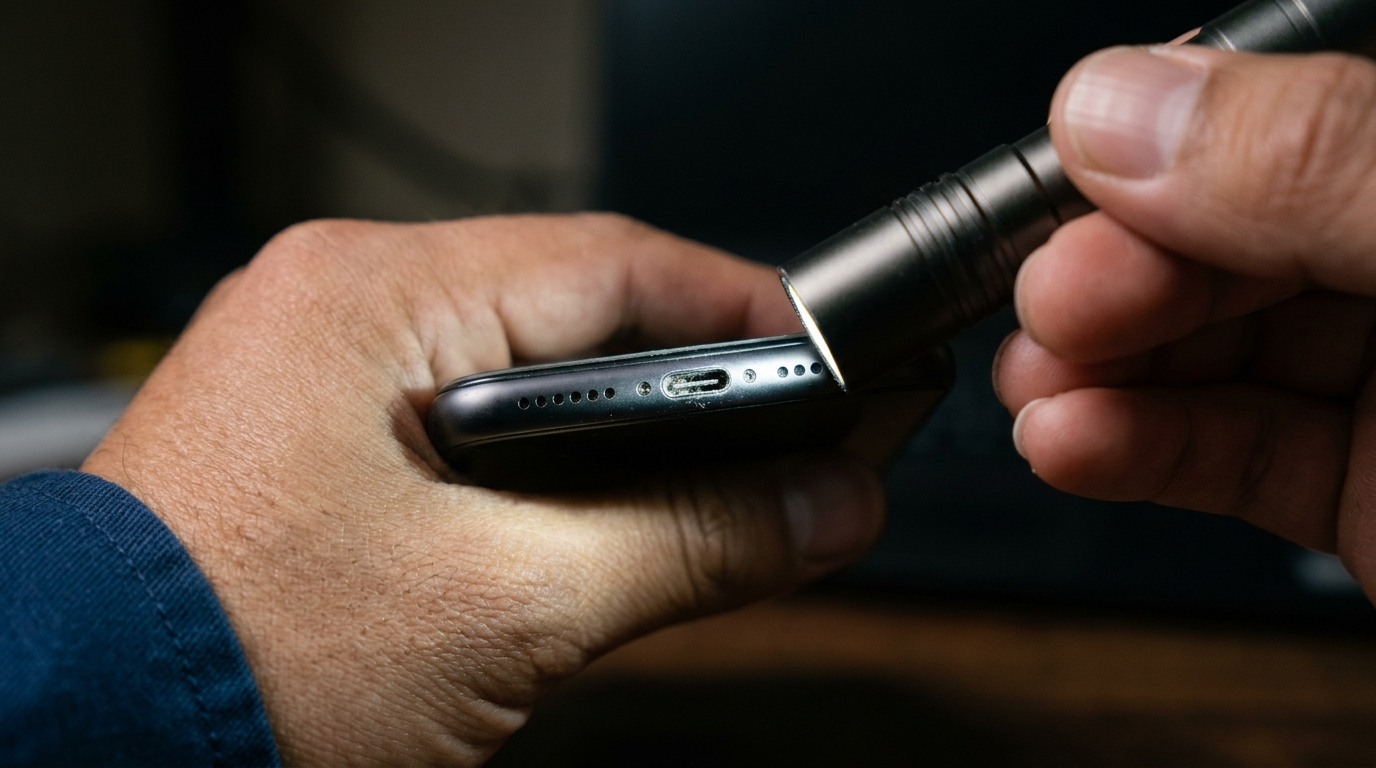
3. Look into the port with a flashlight
Look straight in. You are looking for a grey or dark pad of compressed lint sitting over the contacts at the bottom. In a port that has never been cleaned this is usually clearly visible once you know what to look for. Also check for bent pins, and for green or white residue, which indicates corrosion from moisture.
4. Force restart the phone
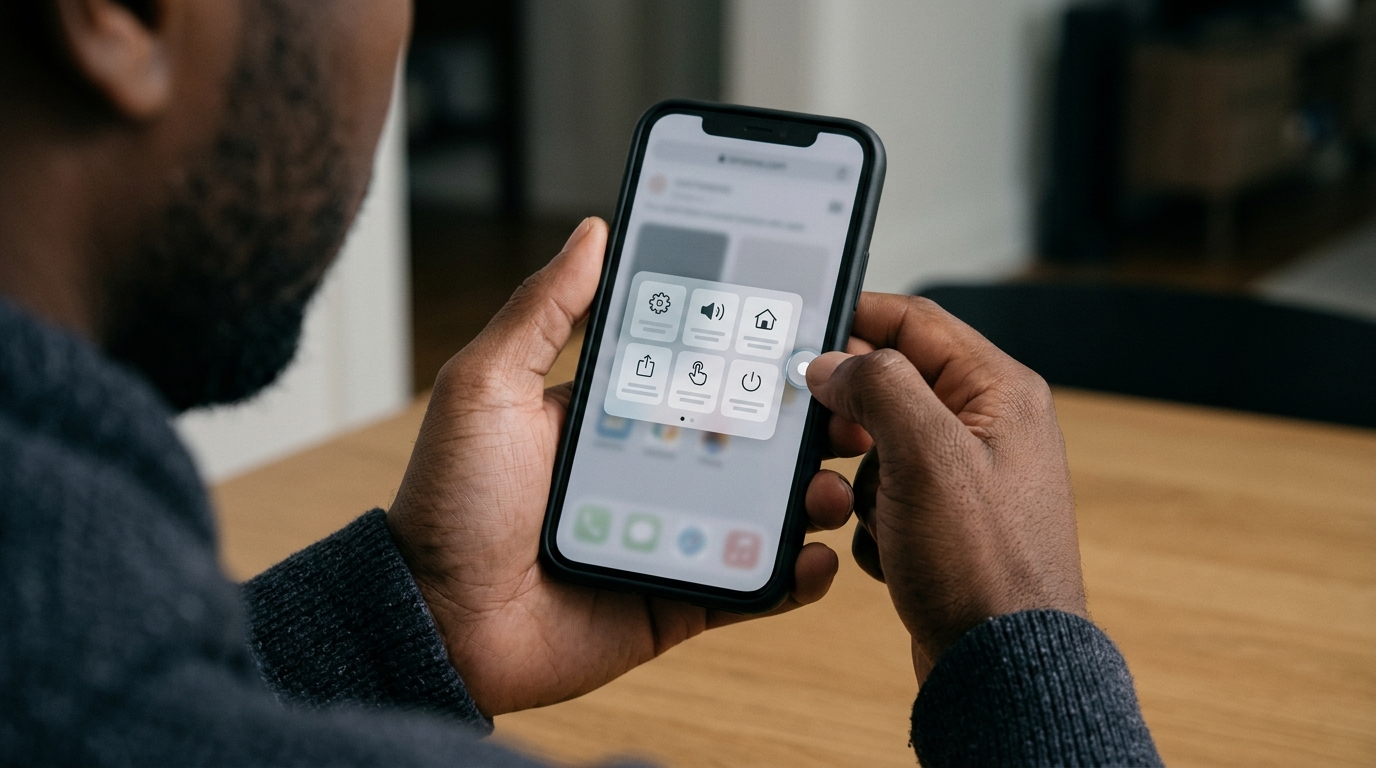
Software can leave a charging controller stuck, and a force restart clears it. On iPhone: press and release Volume Up, press and release Volume Down, then hold the Side button until the Apple logo appears. On Android: hold Power and Volume Down together for ten to twenty seconds.
5. Test wireless charging, if your phone supports it
This is the most useful diagnostic on the list. If wireless charging works normally but cable charging does not, your battery and charging system are fine and the fault is isolated to the port or cable. If neither works, the problem is deeper. If wireless charging is itself behaving oddly on a recent Pixel, that is a separate issue we covered in Pixel 10 wireless charging problems.
How to Clean the Port Safely
If you found lint, you can usually clear it yourself. The method matters more than the tool.
Power the phone off first. This is not optional. You are about to put something into a cavity containing live electrical contacts.
Use a dry wooden or plastic toothpick, or a clean dry toothbrush. Work from the sides and scrape gently outward, lifting material toward the opening rather than pushing it deeper. Small, patient movements. Most of the time the lint comes out as a single recognisable plug and the phone charges immediately afterward.
Compressed air helps after scraping, not instead of it. Short bursts, can held upright, nozzle kept outside the port.
What Not to Put In There
- Nothing metal. No paperclips, needles, or SIM ejector tools. Metal bends pins and can short the contacts, turning a free cleaning into a paid port replacement.
- No liquid of any kind. No alcohol, no contact cleaner, no water. Liquid plus live contacts causes corrosion and shorts.
- No vacuum cleaners. The static discharge risk is real and the suction is not localised enough to help.
- Do not insert the compressed air nozzle. Driving pressurised air into a sealed cavity can damage internal components.
Signs the Port Actually Needs Replacing
Cleaning resolves most cases. These symptoms mean it probably will not.
- The cable feels loose or wobbly. A clean port holds a cable firmly. Looseness means worn retention clips or a damaged housing, and cleaning does not restore mechanical fit.
- Visibly bent or missing pins. Check with a light. Pin damage means replacement.
- Green or white crust inside. That is corrosion, which means moisture got in. Corrosion spreads and does not clean out meaningfully.
- It worked right after cleaning, then failed again within days. This pattern usually means a cracked solder joint where the port meets the board. Flexing the phone makes and breaks the connection.
- Charging only works at one specific cable angle. Classic sign of a failing port connection rather than debris.
- The port gets hot, or charging is very slow with a known-good cable. Stop charging and have it looked at. Heat at the port indicates a resistance problem.
What Port Replacement Costs
This varies by device more than most repairs, because the design differs enormously between models.
On many Android phones and older iPhones the charging port sits on its own small flex cable, a modular part that can be swapped without disturbing much else. These are among the more affordable repairs, typically in the range of 80 to 150 dollars at an independent shop.
On some devices the port is soldered directly to the main board, which requires micro-soldering rather than a part swap. That is a more involved repair and generally runs 120 to 200 dollars depending on the device.
Worth knowing: Apple does not currently supply standalone replacement charging ports to repair centres for several recent iPhone models, which makes independent shops the practical route for that specific repair. iFixit noted exactly this when examining the iPhone Air, where the port is modular and replaceable but not stocked through Apple. We covered that teardown in what breaks first on the iPhone Air.
If Moisture Is Involved
If your phone showed a liquid-detected warning, or the port got wet before the charging problem started, treat this as a different and more urgent situation. Do not charge it, and do not use rice. The first hour matters: see what to do in the next 60 minutes after water exposure.
Keeping It From Happening Again
- Clean the port every few months as routine maintenance, the same way you would clean a camera lens. A dry toothbrush and thirty seconds, phone powered off.
- Use wireless charging for daily top-ups if your phone supports it, and save the cable for fast charging. Fewer insertions means less compaction.
- Pull cables straight out, not at an angle. Angled removal is what wears the retention clips and eventually causes the loose-cable problem.
- Do not charge in a hot car. In San Antonio this matters. Heat plus charging accelerates wear on the port contacts and on the battery, which you can read more about in battery health 101.
Stop to Fix in San Antonio
We clean charging ports as part of our free diagnostic. If cleaning is all your phone needs, we will tell you that and you will not have paid for a repair you did not need. If the port genuinely needs replacing, we will show you why and quote it before we start. Not sure how to pick a shop? Here is what to look for in a repair shop.
Bandera Road: 11851 Bandera Rd., Suite 104, San Antonio, TX 78023 — (210) 325-9913
Pleasanton: 1320 W Oaklawn Suite D, Pleasanton, TX 78064 — (210) 371-8328
Quick Recap
- Compacted lint over the contacts is the most common cause of charging failure
- Test a different cable and adapter first — cables fail internally more often than ports
- Wireless charging works but cable does not? The fault is the port or cable, not the battery
- Clean with a dry wooden toothpick or toothbrush, phone powered off, scraping outward
- Never use metal, liquid, or a vacuum, and never insert a compressed air nozzle
- Loose cable fit, bent pins, or green corrosion mean replacement rather than cleaning
- Port replacement typically runs 80 to 200 dollars depending on whether it is modular or soldered
- Clean the port every few months as routine maintenance